Your inbox, in your pocket. The AI keeps answering while you are away.
The miniDesk app puts your inbox on your phone. Reply to customers, send the AI's drafts, assign conversations and look customers up from wherever you are. Your phone only buzzes when a customer needs a person.
- iPhone, iPad and Android
- Free on every plan
- Notifications only when you are needed
The whole inbox, wherever you are
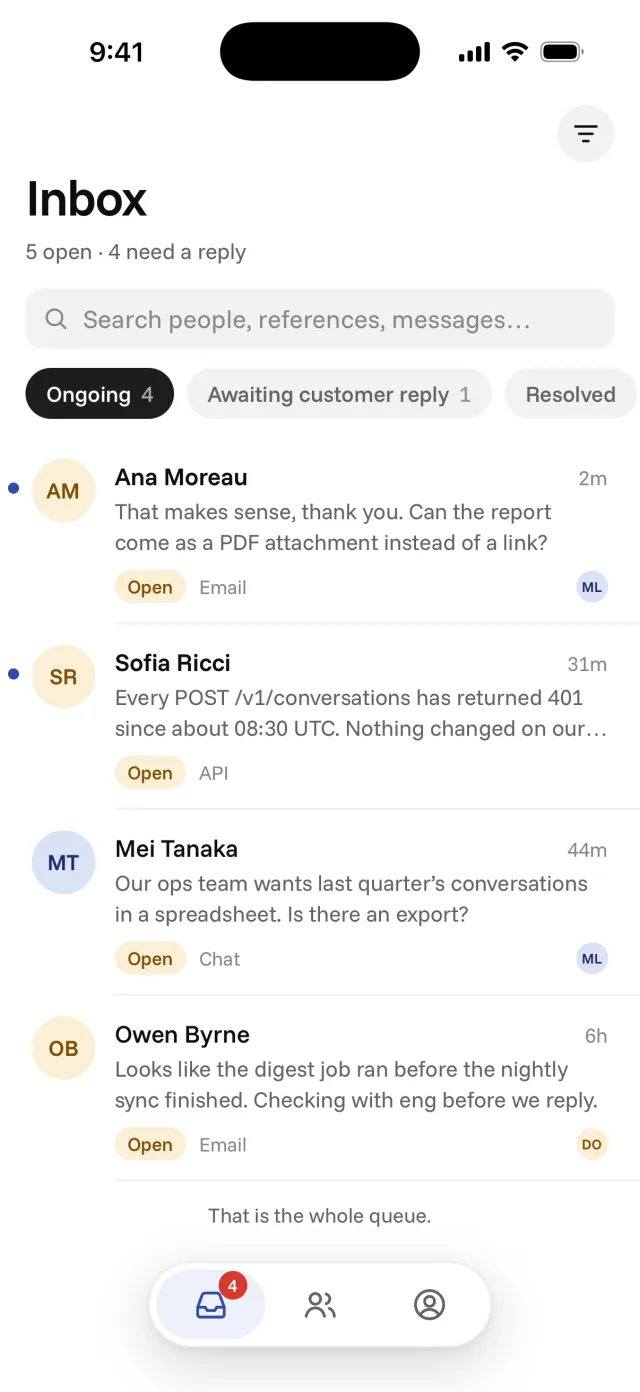
Every conversation your workspace gets, whichever channel it came in on, in the same inbox you use on the web. Filter by status, search people and messages, or show only the conversations assigned to you. What you do on your phone shows on the web straight away, and the other way round.
- Ongoing, Awaiting customer reply, Resolved and Closed
- Search people, references and messages
- Swipe right to resolve, with undo
- Opens on what it last loaded, then refreshes
Send the AI's draft with one tap
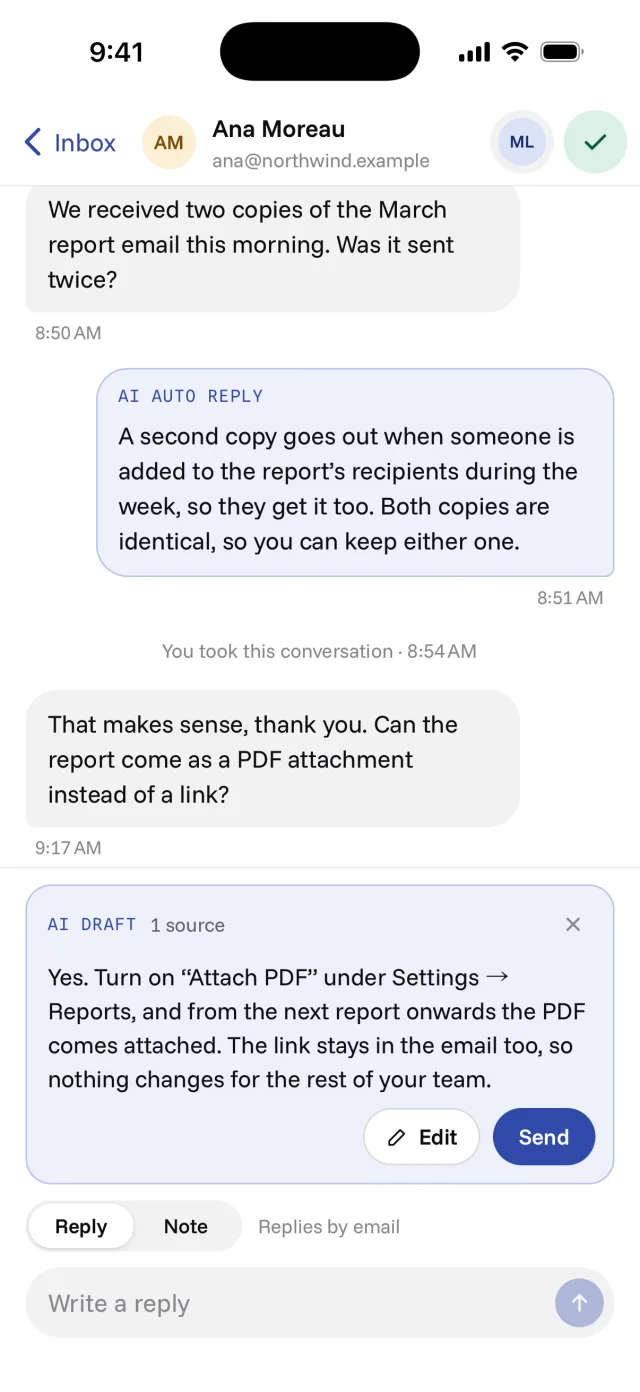
When the AI has a draft ready, it waits above the reply box with the sources it used. Send it as it is, edit it first, or dismiss it and write your own. Switch to Note to write something only your team sees.
- Send, edit or dismiss each draft
- See the sources behind the draft
- Reply to the customer or write an internal note
- The AI keeps answering while you are away
Your phone buzzes only when a customer needs you
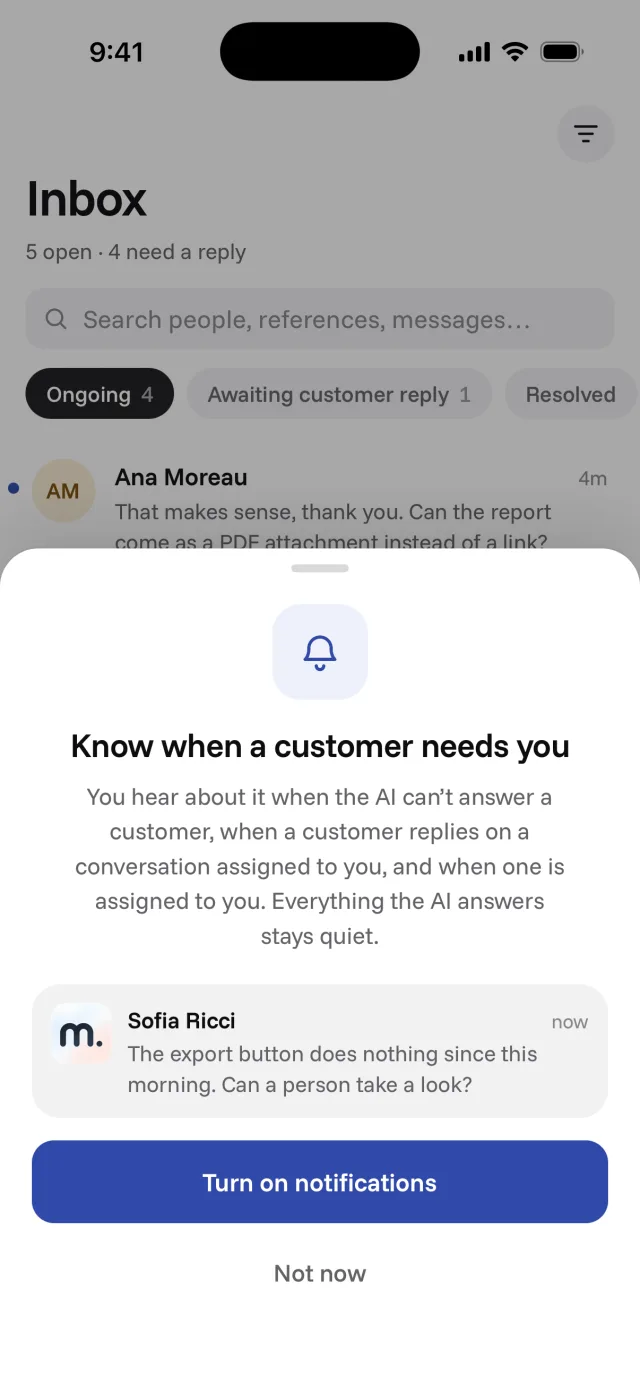
Nothing the AI answers by itself reaches your phone. You hear about the moments that need a person, and each kind has its own switch in the app.
- A new customer the AI could not answer
- A customer writing back on a conversation assigned to you
- A conversation assigned to you
- A teammate mentioning you in an internal note
Hand a conversation to whoever should answer
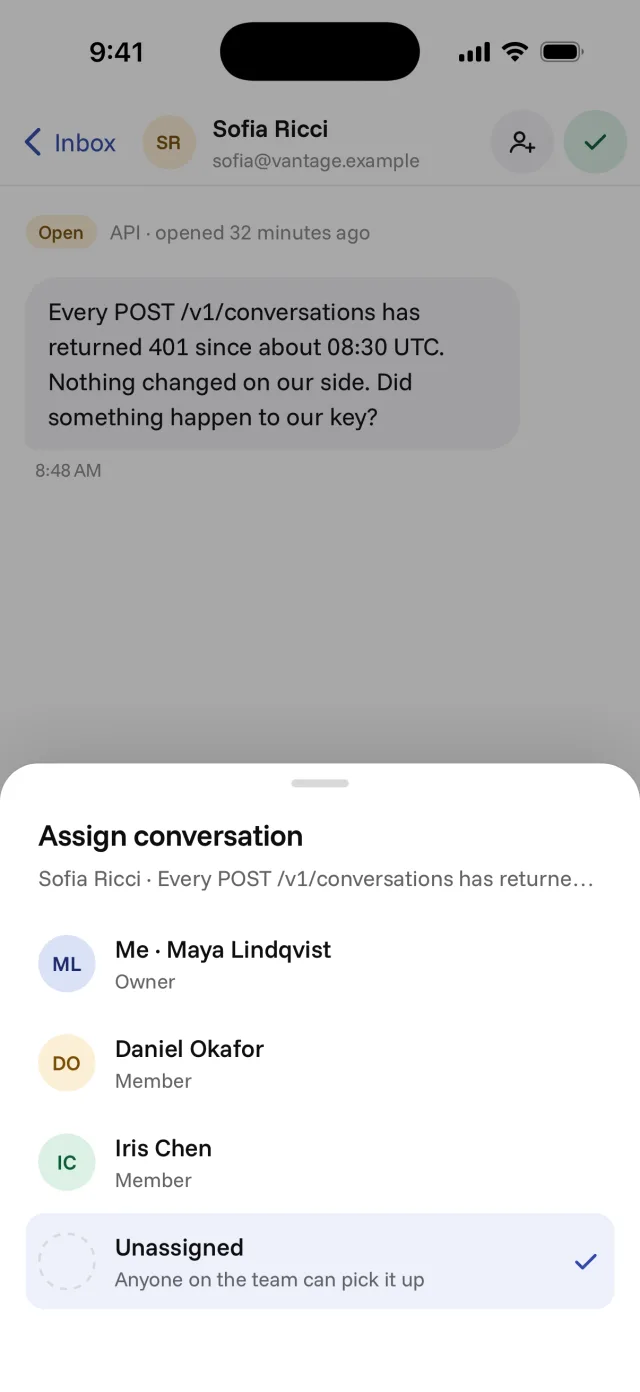
Assign a conversation to a teammate from your phone, and they get a notification on theirs. Take it yourself, leave it for anyone to pick up, or resolve it once it is done.
- Assign to yourself, a teammate, or nobody
- Internal notes only your team sees
- Resolve from the conversation or with a swipe
- Everything stays in sync with the web dashboard
Look a customer up before you answer
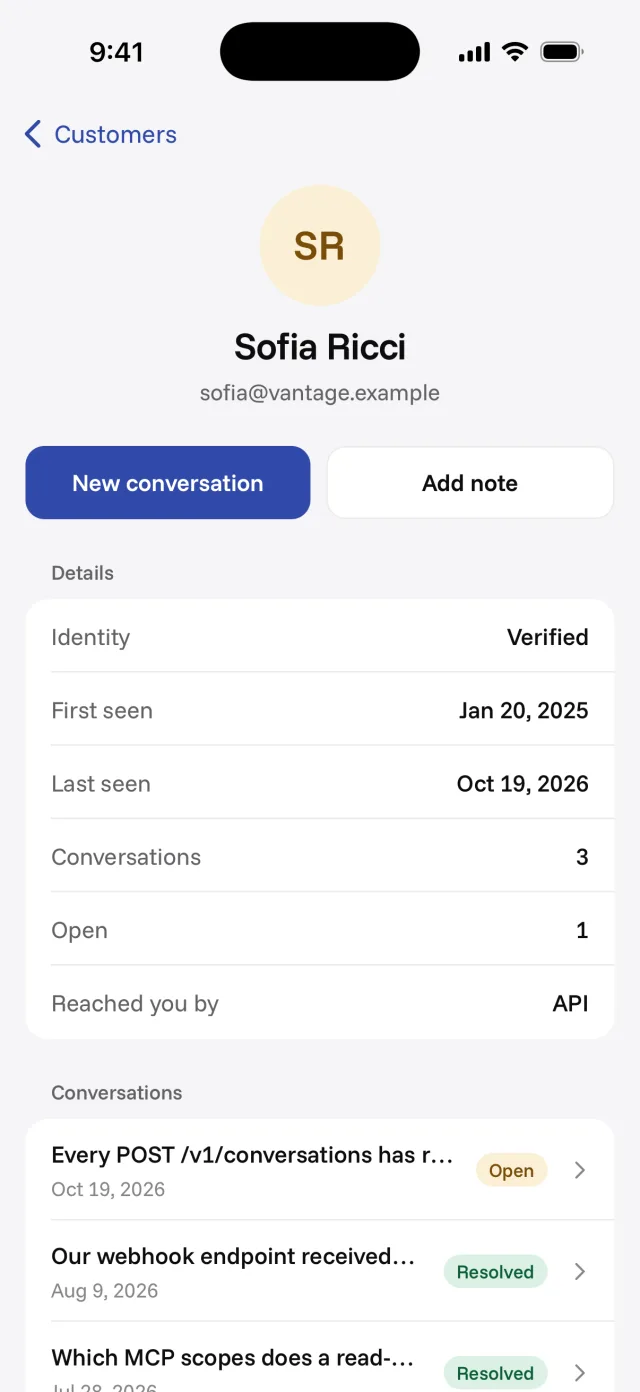
Search your customers, open one and see every conversation they have had with you. Read and edit the note your whole team shares about them, or start a new conversation, which goes out as an email.
- Every past conversation, open or resolved
- Verified identity, first seen and last seen
- One shared team note per customer
- Start a new conversation by email
Made for a phone
The app is for answering customers. Settings, billing, analytics and the AI's knowledge stay on the web.
iPhone, iPad and Android
The same app on each. On a tablet, the list and the conversation sit side by side.
Readable offline
No signal? What was last synced stays on screen. Reconnect to reply or resolve.
Light or dark
Follows your phone's setting, or pick light or dark yourself.
Sign in your way
Email and password, Google or GitHub, and Sign in with Apple on iPhone and iPad.
More than one workspace
Belong to several? Switch between them from the app.
Free on every plan
Free to download, and it works on every miniDesk plan, the free one included.
Questions, answered
Yes. It is free on the App Store and Google Play, and it works on every miniDesk plan, the free one included.
No. The app signs in to an existing miniDesk account. Create your workspace on the web, or ask a workspace owner to invite you, then sign in on your phone.
Four kinds, each with its own switch: a new customer the AI could not answer, a customer writing back on a conversation assigned to you, a conversation assigned to you, and a teammate mentioning you in an internal note. Nothing the AI answers by itself sends a notification.
Settings, inviting your team, billing, analytics, the AI's knowledge and API keys. The app is for answering customers and looking them up.
Yes, on iPad and on Android tablets. On a tablet, the conversation list and the open conversation sit side by side.
Keep exploring
One price. All of customer support.
Start free, no card. When you upgrade, every feature is included, rather than a starting point with a list of add-ons to buy.